


The updated Fall 2026 NAVLE® format introduces new image tools that give candidates control over how they examine diagnostic images during the test. Candidates can enlarge images and adjust their appearance, providing additional ways to evaluate radiographs, clinical photos, and cytology or histopathology images.
That raises some important questions for veterinary students:
- How should I use the tools during image-based questions?
- Where can I get experience using similar tools?
Practicing with image tools should be part of your prep for the updated NAVLE® testing experience. You want to spend your time on the NAVLE® evaluating the patient and making clinical decisions, not learning how to navigate unfamiliar features. That’s why Zuku Review now includes ZukuView, which lets you practice with image enhancement tools just like you will see on NAVLE® image-based questions.
Images Have Always Been a Part of the NAVLE®
Image-based questions are not new. The NAVLE® routinely includes:
- Clinical photographs
- Radiographs
- Cytology slides
- Gross pathology images
- Ultrasound and contrast imaging studies
These visuals help assess a skill that vets use every day in practice: pattern recognition. In a clinical setting, doctors rarely make decisions based on a single piece of information. They combine patient history, signalment, physical examination findings, diagnostic results, and visual observations to reach a diagnosis.
The NAVLE® uses the same approach: images provide clinical information, and candidates need to know how to evaluate visual clues in combination with the rest of the case.
What New NAVLE® Image Tools are Available?
Candidates can enlarge images and use contrast and brightness controls that change how an image looks. These features give you more flexibility when examining a radiograph, photograph, microscopic image, or another diagnostic visual. Understanding what each control does and how it changes the image can help you decide which tools to use when you want to examine an image more closely.
Image Enlargement: Go Big!
Image enlargement gives you the ability to examine specific areas in greater detail. The mechanics are straightforward: read the case, examine the image, identify an area of interest, enlarge it, and then integrate what you see with the rest of the clinical information.
Image Adjustments Can Change How You See
Contrast and brightness tools can help you emphasize key findings. On a radiograph, changing contrast and/or brightness can highlight the visibility of structures against a lighter or darker background:


Adjustments to clinical photographs can also give you another way to make lesions like ringworm or photosensitivity stand out, or cytology details more obvious on a slide of cells:
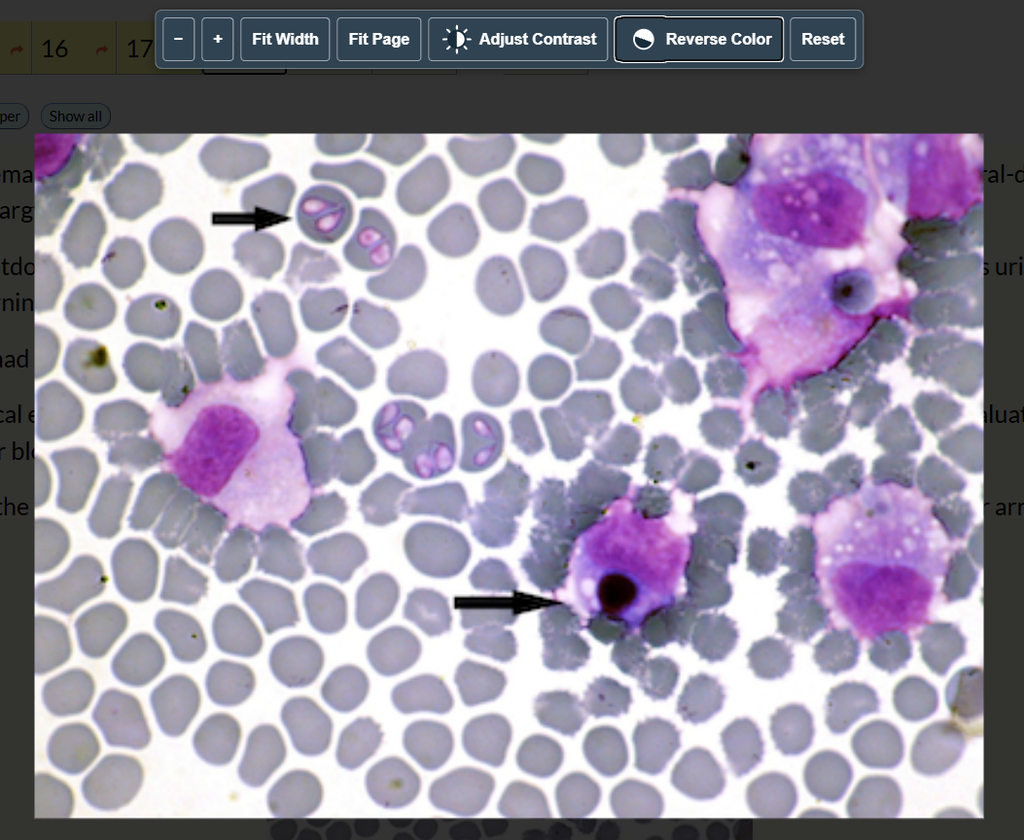
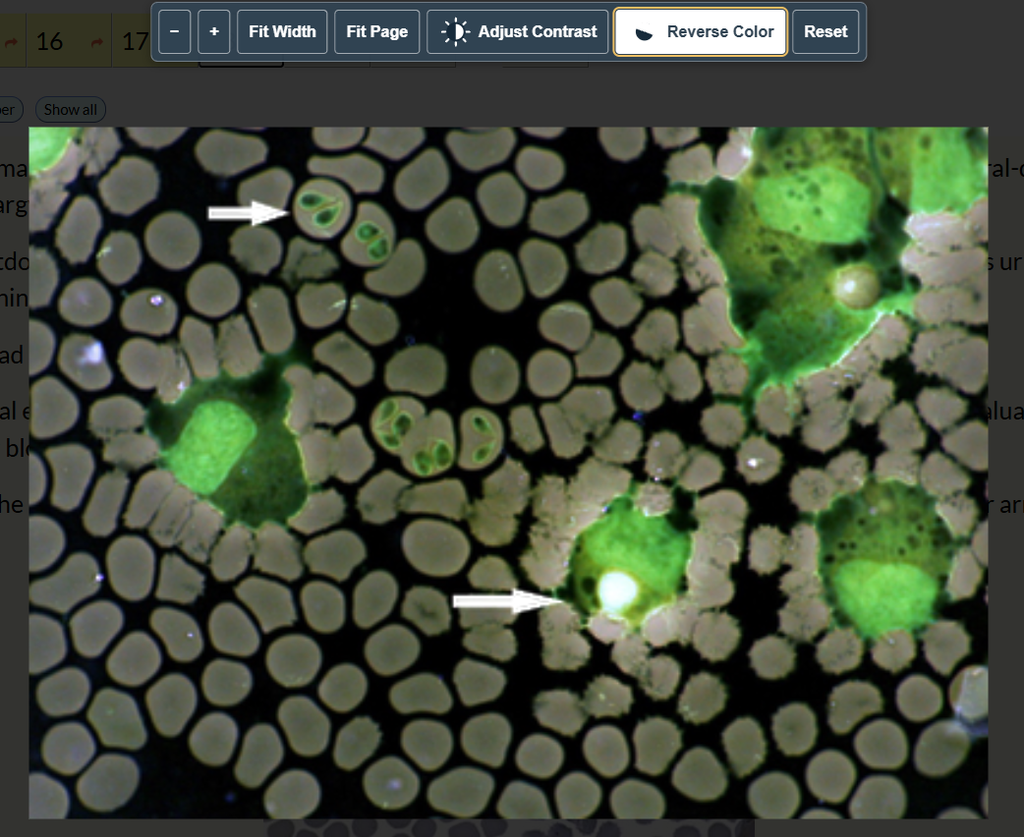
With practice, using these tools will become easier and quicker. You will develop a better sense of when changing size, contrast, or brightness gives useful perspective.
ZukuView: Image Tools Like NAVLE®
ZukuView controls let you practice with image tools that are aligned with the real NAVLE®:
- Zoom in and examine specific structures or findings
- Adjust contrast and brightness to emphasize image details
- Reverse colors in a single click to see an image from a different perspective
As you evaluate the history, clinical signs, diagnostic findings, and images, use ZukuView to highlight visual information and incorporate what you see into your clinical decision-making on the NAVLE®.
How to Use ZukuView During Practice
When you encounter an image-based question, use ZukuView as part of your clinical reasoning process:
- Read the clinical case. Start with the signalment, history, clinical signs, physical examination findings and any available diagnostic information. Use those clues to establish clinical context.
- Examine the complete image. Orient yourself to the image before focusing on a specific area. Look for findings that support or challenge the differential diagnoses you’re considering.
- Use ZukuView to take a closer look. Zoom into areas of interest, adjust contrast and brightness, or reverse colors to examine relevant structures and findings from different perspectives.
- Connect the image to the patient. Ask yourself how the visual findings fit with signalment, history, clinical signs, and other diagnostic information.
- Make the clinical decision. Bring all available information together and determine what the questions asks you to diagnose, identify, or do next.
This process mirrors how vets approach diagnostic images in clinical practice. They don’t interpret a radiograph, microscopic image, or clinical photograph in isolation. They combine what they see with the patient’s history and clinical presentation to guide their decisions. Practicing this workflow with ZukuView helps you develop two skills at once: using image tools efficiently and interpreting diagnosting images within the context of a complete clinical case.
Train for the Updated NAVLE® Experience with Zuku
The Fall 2026 changes affect how candidates experience the NAVLE®. Zuku Review is aligned with the updated testing experience, giving you opportunities to build familiarity before test day:
- 30-question testing blocks by default familiarize you with the new testing structure.
- ZukuView lets you zoom, adjust contrast, and reverse colors while working through image-based questions, just like the real thing.
- ZukuNotes help you capture thoughts directly on the testing screen while you work through a case, just like on the NAVLE®.
These features integrate directly into Zuku’s clinical practice questions, so you can practice key elements of the updated testing experience while strengthening your veterinary knowledge, image interpretation skills, and clinical reasoning.
Spend a few minutes with the official ICVA orientation materials to see the NAVLE® interface itself. Then, use your Zuku Review sessions to put ZukuView to work as you move through image-based clinical cases.
The NAVLE® testing experience has evolved, and Zuku Review has evolved with it. Your preparation can now reflect how you’ll test while keeping clinical decision-making at the center. New NAVLE®. Same goal. Train the way you’ll test.
More from Zuku Learning:
- Shop NAVLE® Test Prep & NAVLE® Flashcards.
- Subscribe to the Question of the Day to receive a NAVLE®-format question delivered to your inbox daily.
- Earn weekly live & on-demand RACE-approved CE.
- Review the weekly Veterinary Medicine Blog.


